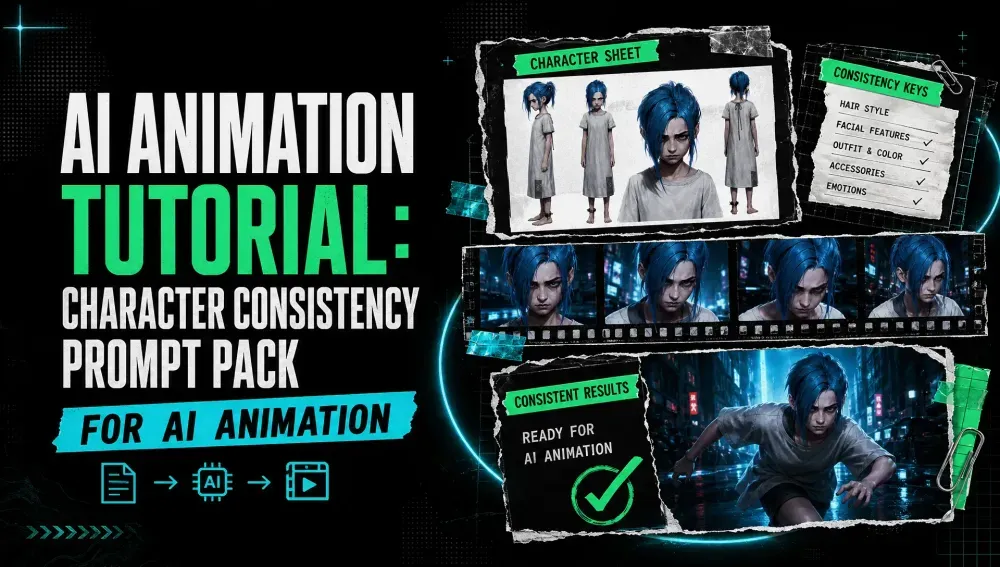
AI Animation Tutorial: Character Consistency Prompt Pack for AI Animation
On this page
Creating an AI animation is easy when you only need one beautiful image.
The challenge starts when that character needs to appear in 10, 20, or even 50 shots.
The hairstyle changes. The clothes suddenly look different. The character’s proportions shift between scenes. Sometimes, the same character can look like an entirely different person from one shot to the next.
This is one of the biggest challenges in AI animation: character consistency.
A strong character consistency workflow starts with the prompt. Instead of describing your character differently in every shot, you can create a reusable character prompt pack that locks in the visual identity and only changes the elements that need to change, such as pose, expression, camera angle, or environment.
In this AI animation tutorial, we’ll show you how to build a character consistency prompt system, with ready-to-use prompts for character design, different camera angles, expressions, actions, environments, and animation shots.
Why Character Consistency Matters in AI Animation
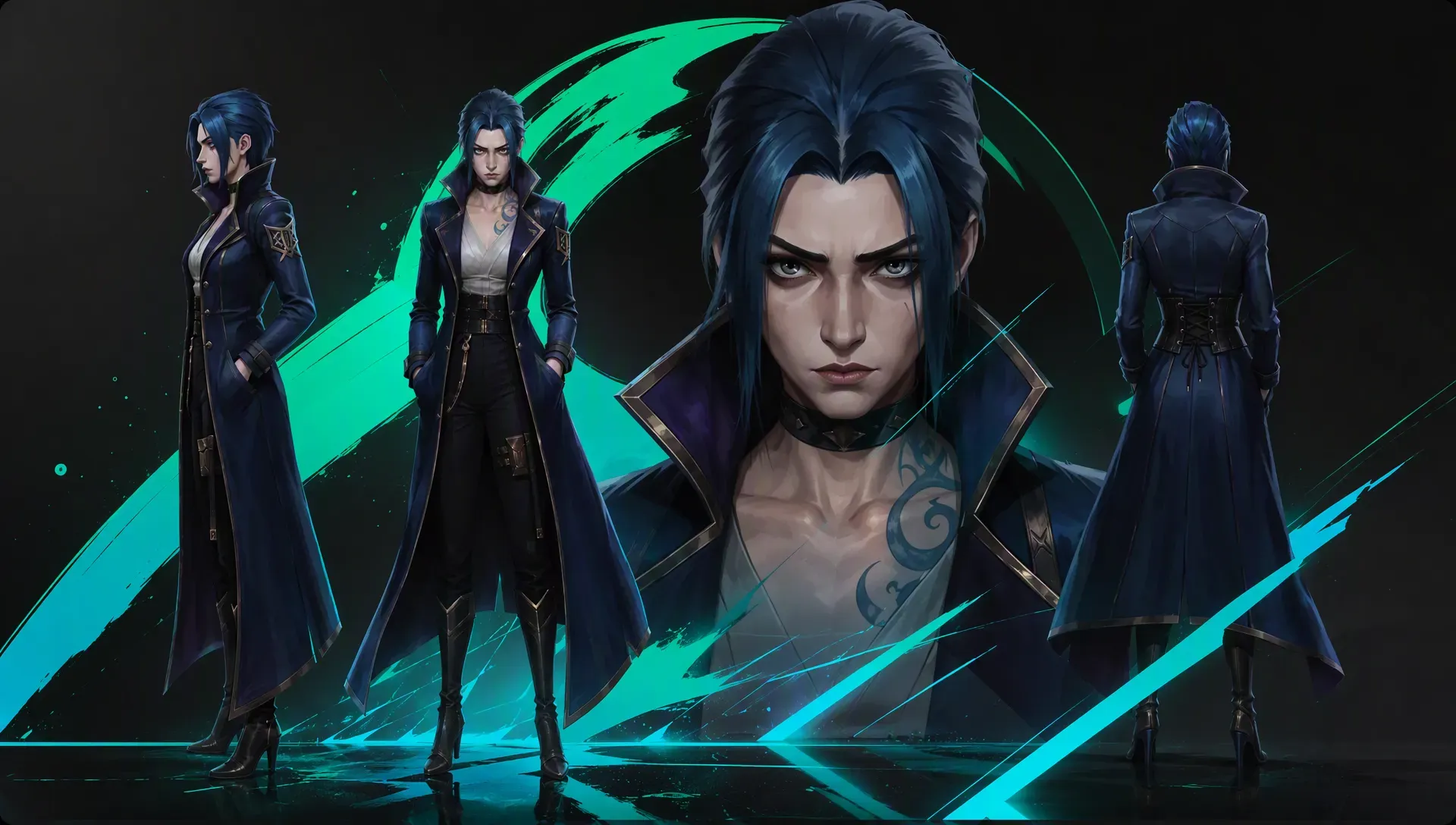
In traditional animation, a character model sheet defines how a character should look from different angles and in different situations.
AI animation needs a similar approach.
If you generate every frame or shot independently, the model has to recreate the character from your description each time. Even if you use the same character name, the model may interpret the character differently.
For example, this prompt:
A young anime girl running through a city.
doesn’t provide enough information to maintain a consistent character.
The next generation might give her a different hairstyle, eye color, outfit, or body proportions.
A better approach is to define the character with a structured description:
A 19-year-old anime girl with long silver hair, straight bangs, violet eyes, a small beauty mark beneath her left eye, slim build, wearing a black cropped jacket, white shirt, dark pleated skirt, black knee-high boots, and a red ribbon around her neck.
Now you have a much stronger visual identity.
The key is to reuse the same character description across your animation prompts.
The Character Consistency Prompt Formula
A useful character consistency prompt can be broken into several layers:
Character Identity + Face + Hair + Body + Outfit + Accessories + Style + Pose + Expression + Environment + Camera
You don’t need to rewrite every element for every shot.
Instead, think of your prompt as two parts:
Fixed Character Block
This stays mostly unchanged throughout the project.
Shot-Specific Block
This changes from scene to scene.
For example:
[CHARACTER BLOCK]

19-year-old anime girl with long silver hair, straight bangs, violet eyes, small beauty mark beneath her left eye, slim athletic build, black cropped jacket, white shirt, dark pleated skirt, black knee-high boots, red ribbon around her neck, distinctive silver hair clip on the left side, clean modern anime character design.

[SHOT BLOCK]

Running through a rainy Tokyo street at night, looking over her shoulder, determined expression, dynamic movement, low-angle camera, cinematic lighting.
This structure makes your prompts easier to manage and reduces unnecessary variations.
Character Consistency Prompt Pack
Here is a reusable prompt pack you can adapt to almost any AI animation project.
1. Character Base Prompt
Start by creating a detailed reference version of your character.
Create a full-body character design of [CHARACTER NAME], a [AGE]-year-old [GENDER/CHARACTER TYPE].

Distinctive facial features: [FACE DESCRIPTION].
Hair: [HAIR COLOR, LENGTH, STYLE].
Eyes: [EYE COLOR AND SHAPE].
Skin tone: [SKIN DESCRIPTION].
Body type: [BODY TYPE AND PROPORTIONS].

Outfit: [TOP], [BOTTOM], [SHOES], [OUTERWEAR].
Accessories: [ACCESSORIES].

Keep the character design distinctive, recognizable, and visually consistent.
Clean character silhouette, clear facial features, consistent proportions, polished [ANIME / 3D CARTOON / CINEMATIC / OTHER] style.
Full-body character reference, neutral standing pose, simple background.
Example
Create a full-body character design of Maya, a 19-year-old anime girl.

Distinctive facial features: oval face, small nose, soft jawline, small beauty mark beneath her left eye.
Hair: long silver hair reaching her waist, straight bangs, slightly messy ends.
Eyes: large violet eyes with subtle highlights.
Skin tone: fair warm skin.
Body type: slim athletic build with natural proportions.

Outfit: black cropped jacket, white shirt, dark pleated skirt, black knee-high boots.
Accessories: red ribbon around her neck and a silver hair clip on the left side.

Keep the character design distinctive, recognizable, and visually consistent.
Clean character silhouette, clear facial features, consistent proportions, polished modern anime style.
Full-body character reference, neutral standing pose, simple background.
This becomes your master character description.
Save it.
Don’t casually change it every time you generate a new scene.
2. Character Turnaround Prompt
A turnaround sheet is useful because it establishes how the character should look from multiple directions.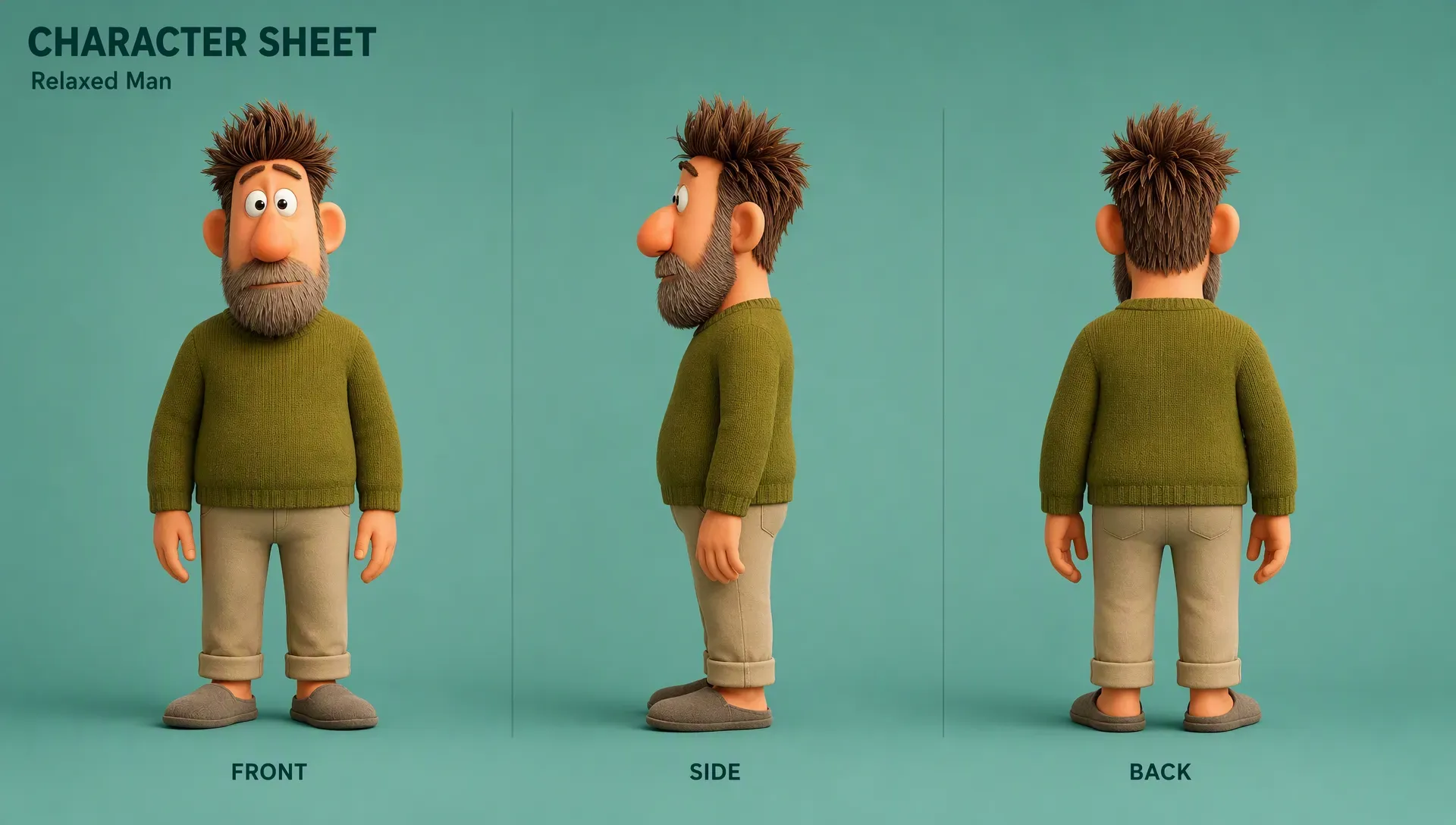
Create a character turnaround sheet for [CHARACTER NAME].

Show the exact same character from:
front view, three-quarter front view, side view, three-quarter back view, and back view.

Maintain identical facial features, hairstyle, hair color, eye color, body proportions, clothing, accessories, and character design in every view.

No redesign, no outfit changes, no hairstyle changes.
Consistent character model, consistent proportions, clean reference sheet, neutral background.
This is particularly useful when your animation contains close-ups, side shots, or characters moving around the camera.
3. Facial Expression Prompt Pack
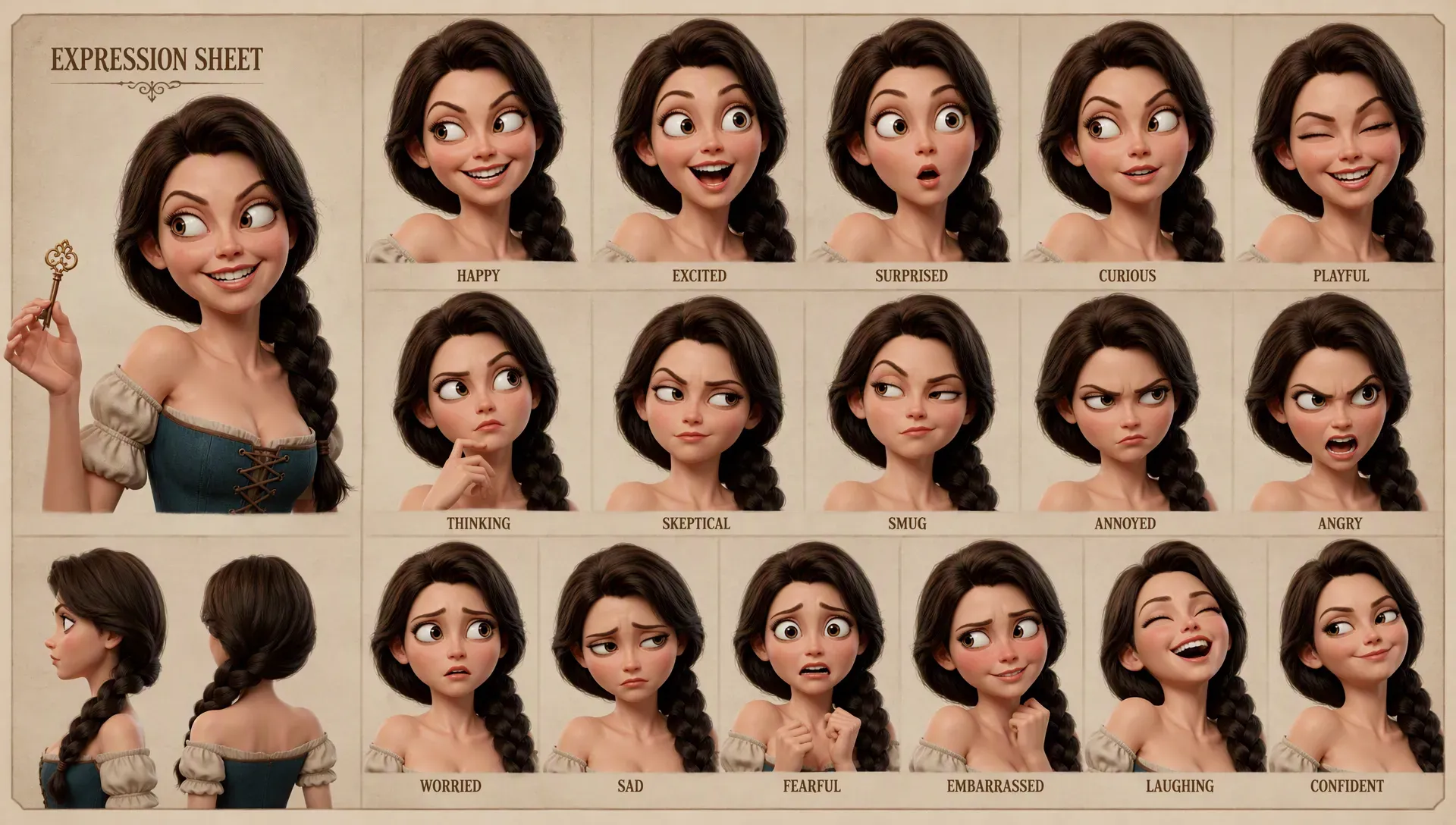
Characters often lose consistency when the expression changes.
Instead of generating a completely new character for every emotion, keep the identity fixed and only modify the expression.
Happy
Same character, identical facial structure, hairstyle, eye color, outfit, and proportions.

Warm natural smile, bright expressive eyes, relaxed eyebrows, subtle joyful expression.
Angry
Same character, identical facial structure, hairstyle, eye color, outfit, and proportions.

Angry expression, narrowed eyes, lowered eyebrows, tense jaw, determined gaze.
Sad
Same character, identical facial structure, hairstyle, eye color, outfit, and proportions.

Sad expression, slightly lowered eyebrows, watery eyes, subtle trembling lips, emotional but restrained expression.
Surprised
Same character, identical facial structure, hairstyle, eye color, outfit, and proportions.

Surprised expression, widened eyes, raised eyebrows, slightly open mouth, sudden emotional reaction.
Fear
Same character, identical facial structure, hairstyle, eye color, outfit, and proportions.

Frightened expression, widened eyes, tense facial muscles, slightly open mouth, anxious gaze.
The important phrase here is:
“same character, identical facial structure, hairstyle, eye color, outfit, and proportions.”
It reinforces which elements should remain unchanged.
4. Camera Angle Prompt Pack
Character consistency isn’t only about the face.
The character also needs to maintain recognizable proportions when viewed from different camera angles.
Front View
Same character, front-facing view, looking directly toward the camera, symmetrical facial features, consistent body proportions.
Three-Quarter View
Same character, three-quarter view, head turned slightly toward the camera, identical facial structure and hairstyle, consistent proportions.
Side Profile
Same character, clean side profile, identical hairstyle, facial proportions, clothing, and accessories.
Low Angle
Same character, cinematic low-angle shot, camera positioned below eye level, consistent facial structure and body proportions.
High Angle
Same character, cinematic high-angle shot, camera positioned above eye level, consistent character proportions and recognizable facial features.
Close-Up
Extreme close-up of the same character's face, identical facial structure, hairstyle, eye color, beauty mark, and distinctive facial features.
5. Pose Prompt Pack
Once the character identity is established, you can change the pose without changing the character.
Standing
Same character standing naturally, relaxed posture, arms resting naturally at her sides.
Walking
Same character walking forward naturally, one foot ahead of the other, relaxed arm movement, natural walking posture.
Running
Same character running at full speed, dynamic body posture, arms moving naturally, hair and clothing reacting to motion.
Fighting
Same character in a dynamic combat stance, one foot forward, fists raised, focused expression, strong body posture.
Sitting
Same character sitting naturally on a bench, relaxed posture, hands resting naturally, legs positioned comfortably.
Looking Back
Same character walking away from the camera while turning her head back over her shoulder, surprised expression, natural body rotation.
6. Outfit Consistency Prompt
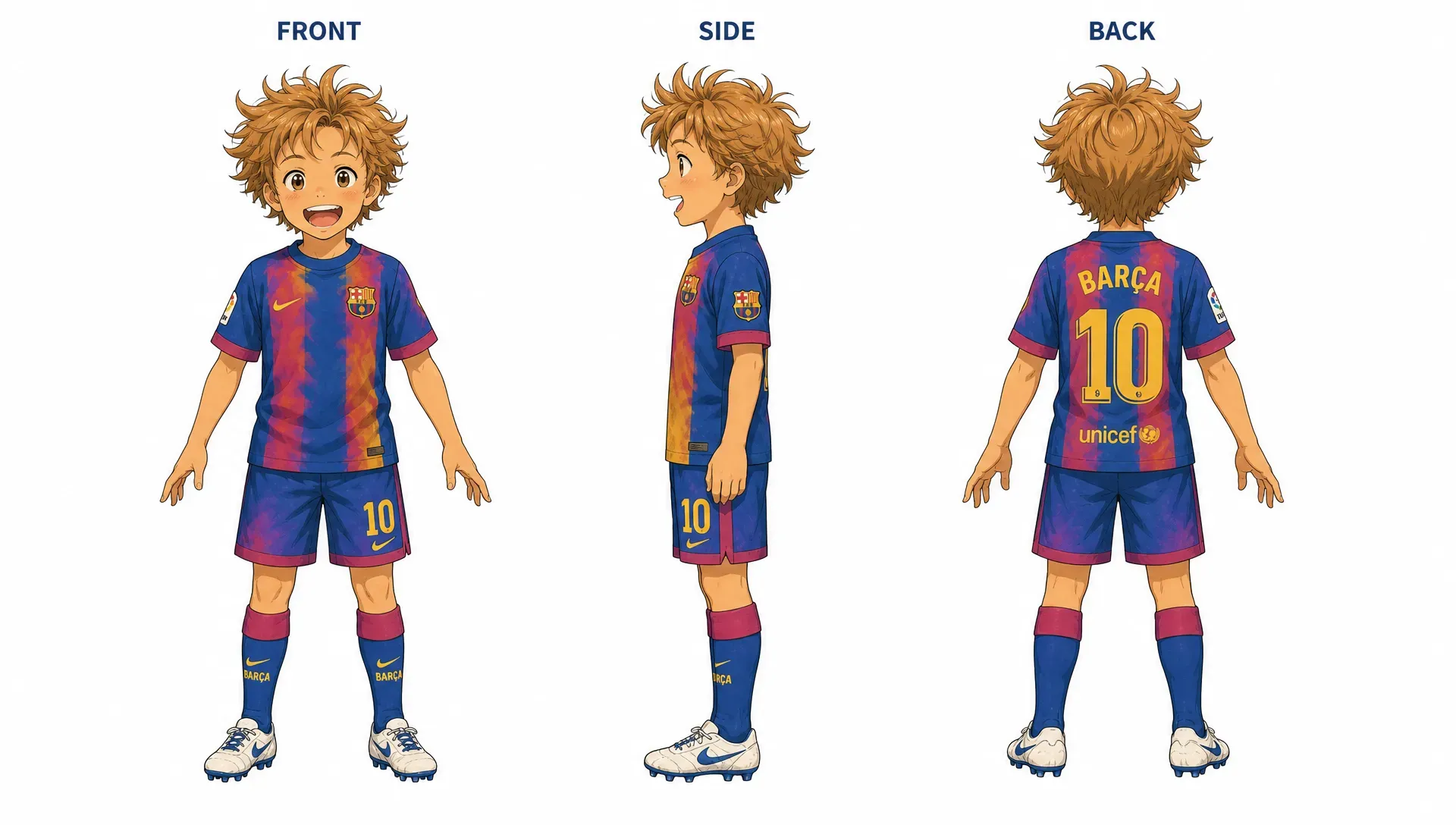
Clothing is another common source of character drift.
AI models may change the color, shape, or details of an outfit between generations.
Use a dedicated outfit description:
Maintain the exact same outfit throughout the sequence:

black cropped jacket with silver zipper details,
white fitted shirt,
dark navy pleated skirt,
black knee-high boots,
red ribbon around the neck,
silver hair clip on the left side.

Do not change the clothing colors, materials, design, accessories, or proportions.
For longer animations, describe specific visual identifiers rather than generic clothing.
Compare:
wearing a black jacket
with:
wearing a cropped black leather jacket with a silver diagonal zipper, two silver buttons on the collar, and a small red patch on the left sleeve.
The second description gives the model more information to preserve.
7. Environment Prompt Pack
Your character should be able to move between different environments without losing their identity.
City
Same character standing on a busy futuristic city street at night, neon signs, wet pavement, cinematic atmosphere.
Forest
Same character walking through a dense misty forest, tall trees, soft morning light, subtle fog surrounding the character.
School
Same character walking through a modern Japanese high school hallway, classroom doors, large windows, natural daylight.
Rooftop
Same character standing on a city rooftop at sunset, distant skyline, wind moving her hair and clothing naturally.
Interior
Same character sitting inside a small modern apartment, warm window light, realistic interior details, cinematic atmosphere.
Notice that the environment changes, but the character block stays the same.
8. Character + Action Prompt for AI Video
When moving from image generation to video generation, you can use an AI Animation Generator to turn approved character visuals into animated shots. Add motion instructions to your character description.
A useful structure is:
[CHARACTER BLOCK]

[ENVIRONMENT]

[ACTION]

[CAMERA MOVEMENT]

[LIGHTING]

[STYLE]
For example:
Maya, a 19-year-old anime girl with long silver hair, straight bangs, violet eyes, a small beauty mark beneath her left eye, slim athletic build, black cropped jacket, white shirt, dark pleated skirt, black knee-high boots, red ribbon around her neck, silver hair clip on the left side.

She stands alone on a rainy Tokyo street at night.

Maya slowly walks forward through the rain, then suddenly stops and looks over her shoulder. Her silver hair moves naturally in the wind, her jacket reacts subtly to her movement, and raindrops fall continuously around her.

Slow cinematic tracking shot moving backward in front of her, gradually transitioning into a close-up of her face.

Neon reflections on wet pavement, atmospheric night lighting, cinematic anime style, smooth natural motion.
This gives the video model information about both identity and motion.
9. Multi-Shot Character Consistency Prompt
For an AI animation with multiple shots, keep the character block unchanged.
Shot 1 — Establishing Shot
[CHARACTER BLOCK]

Wide cinematic shot of Maya walking alone through a rainy Tokyo street at night.
Camera slowly tracks backward as she walks forward.
Shot 2 — Medium Shot
[CHARACTER BLOCK]

Medium shot of Maya continuing to walk through the rain.
She looks slightly to the side with a serious expression.
Camera moves alongside her.
Shot 3 — Close-Up
[CHARACTER BLOCK]

Close-up of Maya's face.
She suddenly notices something in the distance.
Her eyes widen slightly.
Rain falls continuously in the foreground.
Slow push-in toward her face.
Shot 4 — Action Shot
[CHARACTER BLOCK]

Maya suddenly turns and starts running through the rainy street.
Her silver hair and black jacket move naturally with her motion.
Dynamic tracking camera follows her from behind.
The character description stays stable while the shot description changes.
This is one of the simplest ways to build a consistent AI animation.
10. Two-Character Consistency Prompt
When multiple characters appear in the same animation, define each character separately.
CHARACTER A:
Maya, 19-year-old anime girl, long silver hair, violet eyes, black cropped jacket, white shirt, dark pleated skirt, red neck ribbon, silver hair clip.

CHARACTER B:
Ren, 21-year-old anime boy, short messy black hair, blue eyes, athletic build, dark green bomber jacket, white T-shirt, black cargo pants, brown boots.

Maintain the exact visual identity of both characters throughout the scene.
Do not swap clothing, hairstyles, facial features, or colors between characters.
Then describe their interaction:
Maya stands on the left side of the frame while Ren stands on the right.

Maya looks toward Ren with a serious expression.
Ren slowly turns toward Maya.

Maintain clear visual separation between both characters and preserve their exact character designs.
This helps prevent the model from blending their attributes together.
11. Negative Prompt for Character Consistency
A negative prompt can be useful when your generation system supports one.
Try:
different character, different face, different hairstyle, different hair color, different eye color, different outfit, different accessories, altered proportions, inconsistent facial features, distorted face, extra limbs, missing fingers, duplicate character, merged characters, age change, body shape change, clothing change, character redesign
For animation:
character identity drift, face morphing, changing hairstyle, changing clothes, inconsistent proportions, flickering facial features, unstable eyes, deformed hands, extra limbs, duplicated body parts, inconsistent accessories, sudden character redesign
Don’t rely on negative prompts alone, though.
A strong positive character description and consistent references are usually more important.
12. The “Character Lock” Prompt
For particularly important shots, you can add a short consistency instruction at the end of the prompt:
Character identity is locked.
Preserve the exact face, hairstyle, eye color, body proportions, outfit, accessories, and distinctive features from the reference.
Only change the pose, expression, camera angle, environment, and action specified in this prompt.
This creates a simple rule for the generation:
Change what the shot requires. Preserve everything else.
How to Build a Character Consistency Workflow
A prompt pack works best when combined with a consistent production workflow.
Step 1: Design the Character
Start with a detailed character prompt.
Generate several versions and select one character design that works well.
Don’t immediately start generating animation shots.
First, make sure the character itself is strong and recognizable.
Step 2: Create a Character Reference
Create a clean reference image showing the character clearly.
Ideally, include:
- Full-body view
- Front view
- Three-quarter view
- Side view
- Face close-up
- Main outfit
- Important accessories
This becomes your visual source of truth.
Step 3: Create Your Character Block
Turn the final character design into a reusable text description.
For example:
[CHARACTER NAME]
[AGE]
[HAIR]
[EYES]
[FACE]
[BODY]
[OUTFIT]
[ACCESSORIES]
[STYLE]
[DISTINCTIVE FEATURES]
Keep this block unchanged.
Step 4: Create Shot Prompts
Now write individual prompts for every shot.
Instead of redesigning your character each time, use:
CHARACTER BLOCK
+
SHOT DESCRIPTION
+
CAMERA
+
MOTION
+
LIGHTING
This makes your prompts much easier to manage.
For longer projects, you can also organize your character references, scene descriptions, and shot ideas together on an Infinite Canvas instead of managing them across separate documents.
Step 5: Generate Keyframes Before Animation
For complicated scenes, generate the key visual first.
Check:
- Does the face look right?
- Is the outfit correct?
- Is the hairstyle consistent?
- Are the proportions correct?
- Are the accessories present?
- Does the character match the reference?
If the keyframe is wrong, fix it before generating the video.
This can save a lot of generation time and credits.
Step 6: Animate the Approved Visual
Once the character and composition are correct, turn the visual into an animation.
Keep motion instructions relatively focused.
Instead of asking the model to do everything at once:
She runs, jumps, fights three enemies, spins around, pulls out a sword, looks at the camera, and jumps onto a building.
Start with a simpler shot:
She runs forward while the camera tracks backward.
Simple motion is generally easier to control.
Character Consistency Prompt Template
Here’s a universal template you can save and reuse:
[CHARACTER IDENTITY]

Same character: [NAME], [AGE], [CHARACTER TYPE].

Face: [FACIAL FEATURES].
Hair: [HAIR DESCRIPTION].
Eyes: [EYE DESCRIPTION].
Skin: [SKIN DESCRIPTION].
Body: [BODY TYPE].
Outfit: [OUTFIT DESCRIPTION].
Accessories: [ACCESSORIES].
Distinctive features: [UNIQUE FEATURES].
Visual style: [STYLE].

[SCENE]

[ENVIRONMENT DESCRIPTION].

[ACTION]

The character [ACTION DESCRIPTION].

[EXPRESSION]

[EMOTION / FACIAL EXPRESSION].

[CAMERA]

[CAMERA ANGLE + CAMERA MOVEMENT].

[LIGHTING]

[LIGHTING DESCRIPTION].

[CONSISTENCY LOCK]

Preserve the exact character identity, facial features, hairstyle, eye color, body proportions, outfit, accessories, and distinctive features from the reference.
Only change the elements explicitly specified in this shot.
A Complete AI Animation Example
Let’s put everything together.
Imagine we’re creating a short anime sequence about Maya.
Character
Maya is a 19-year-old anime girl with long silver hair reaching her waist, straight bangs, large violet eyes, an oval face, a small beauty mark beneath her left eye, and a slim athletic build.

She wears a black cropped jacket with silver zipper details, a fitted white shirt, a dark navy pleated skirt, black knee-high boots, and a red ribbon around her neck.

She has a distinctive silver hair clip on the left side of her hair.

Modern cinematic anime character design.
Shot 1
Maya walks alone through a rainy Tokyo street at night.

Her long silver hair moves gently in the wind while rain falls around her.
She looks forward with a serious expression.

Wide cinematic tracking shot, camera moving backward in front of her.
Neon signs reflect across the wet pavement.
Atmospheric cinematic anime lighting.

Preserve the exact character identity, face, hairstyle, outfit, proportions, and accessories.
Shot 2
Maya suddenly stops walking.

She slowly turns her head toward something behind her.
Her expression changes from serious to slightly surprised.

Medium three-quarter shot.
Slow camera push-in.
Rain continues falling naturally.
Her hair moves subtly in the wind.

Preserve the exact character identity, face, hairstyle, outfit, proportions, and accessories.
Shot 3
Close-up of Maya's face.

Her violet eyes widen slightly as she realizes someone is following her.
A few strands of silver hair move across her face.

Slow cinematic push-in.
Shallow depth of field.
Rain droplets visible in the foreground.
Dramatic anime lighting.

Preserve the exact facial structure, eye color, hairstyle, beauty mark, and character identity.
Shot 4
Maya suddenly turns around and starts running.

Her silver hair flows dynamically behind her.
Her black jacket and red ribbon react naturally to her movement.

Dynamic tracking shot following her from behind.
Fast but smooth camera movement.
Rain splashes from the pavement as she runs.

Preserve the exact character identity, outfit, hairstyle, proportions, and accessories.
The result is much more coherent because every shot is built around the same character foundation.
Tips for Better Character Consistency
1. Don’t Overwrite the Character
More description isn’t always better.
Focus on the features that actually define the character.
Hair, eyes, face shape, outfit, accessories, and distinctive marks are usually more useful than a long paragraph of generic adjectives.
2. Use Specific Identifiers
Instead of:
beautiful girl with stylish clothes
use:
long silver hair, violet eyes, black cropped jacket, red neck ribbon, silver hair clip on the left side.
Specific visual details are easier to preserve.
3. Keep Important Details in the Same Order
If you repeatedly generate the same character, keep your character block structurally consistent.
For example:
Face → Hair → Eyes → Body → Outfit → Accessories
Don’t randomly rearrange the description every time.
4. Avoid Changing Too Many Things at Once
If you’re testing consistency, change one variable at a time.
For example:
- Same character + new pose
- Same character + new camera angle
- Same character + new environment
- Same character + new expression
This makes it easier to identify what causes character drift.
5. Use Reference Images Whenever Available
Text prompts describe identity, but reference images provide direct visual information.
If your AI image or video generator supports character references, use the same approved character reference across your shots.
This is especially useful for:
- Facial features
- Hair shape
- Clothing details
- Accessories
- Body proportions
6. Create a Character Bible for Long Projects
For longer AI animations, don’t rely on memory.
Create a simple character bible containing:
Character Name:
Age:
Role:
Face:
Hair:
Eyes:
Body:
Outfit:
Accessories:
Color Palette:
Personality:
Signature Expressions:
Signature Poses:
Reference Images:
You can then reuse it throughout the entire production.
For larger projects, an AI Agent can also help organize story ideas, characters, scenes, and production steps into a more structured workflow.
Character Consistency Checklist
Before generating each new shot, check:
- [ ] Same character name
- [ ] Same facial features
- [ ] Same hairstyle
- [ ] Same eye color
- [ ] Same body proportions
- [ ] Same outfit
- [ ] Same accessories
- [ ] Same distinctive features
- [ ] Same visual style
- [ ] Reference image attached when available
- [ ] Only the intended shot elements have changed
- [ ] Camera and motion are clearly described
If your character keeps changing, go back to the character block instead of endlessly regenerating the shot.
Final Thoughts
Character consistency is one of the biggest differences between a collection of AI-generated clips and a coherent AI animation.
The goal isn’t to write a completely new prompt for every shot.
It’s to create a stable character identity and then build different scenes around it.
Start with one detailed character design. Create a reference sheet. Turn that design into a reusable character prompt. Then combine the same character block with different expressions, poses, environments, camera angles, and actions.
Once you have this system, you can build everything from short AI anime clips to longer cinematic AI films while keeping your characters much more recognizable from scene to scene.
And the more structured your prompts become, the easier it is to scale from a single shot into an entire animated story.