MiniMax H3 Review: Features & Quality Test
On this page
MiniMax H3’s strongest public evidence arrives already selected and ready to impress. Those samples can show what the model is capable of, but they cannot reveal how reliably an ordinary generation reaches the same standard.
For this review, I treated each demo as material to audit: comparing its references with sampled frames, checking the delivered media, and keeping unverified retry performance outside the verdict.
MiniMax H3 Review at a Glance
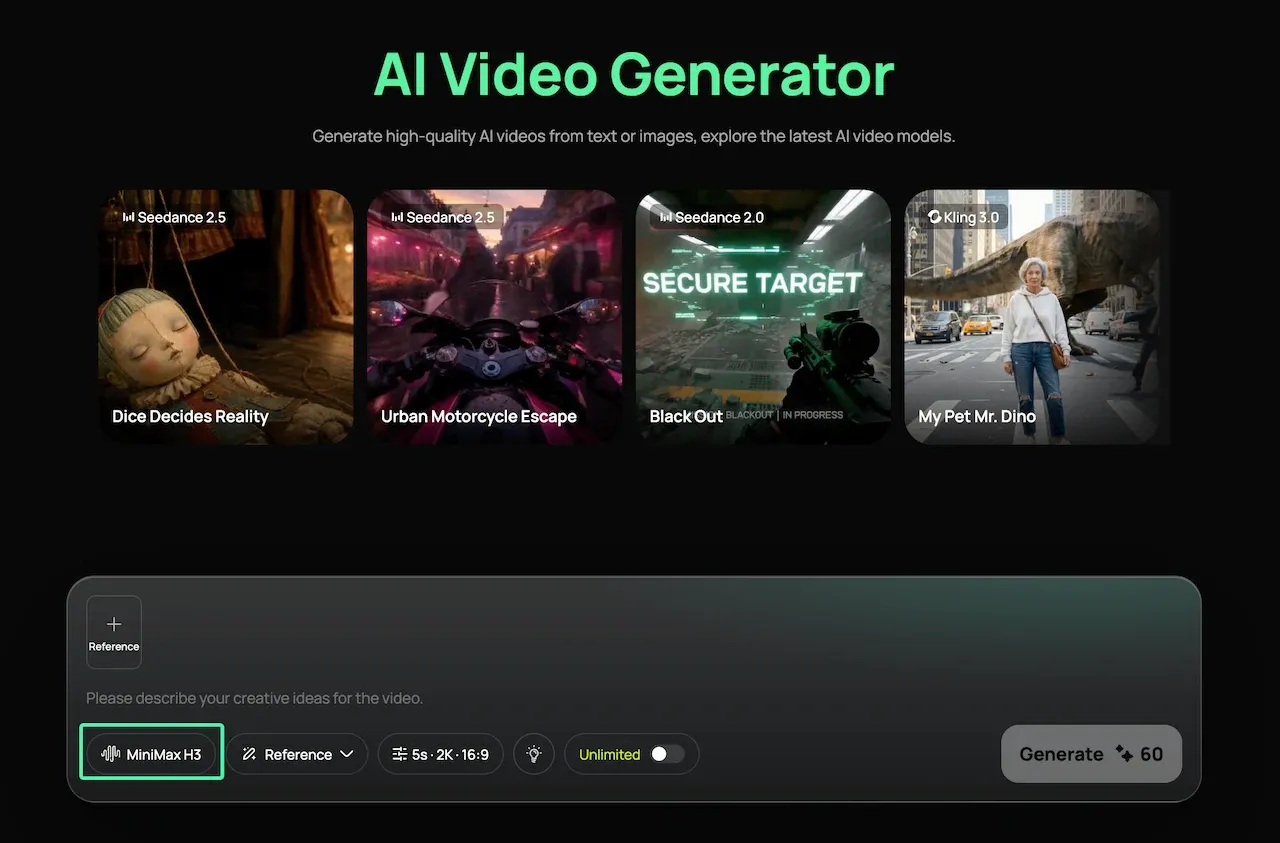
MiniMax introduced H3 as a general-purpose multimodal generation model, while the official H3 repository now documents its inputs, output modes and local checkpoints. Creators who prefer a hosted interface can access the MiniMax H3 AI video generator through Loova AI.
What MiniMax H3 Is Designed to Do
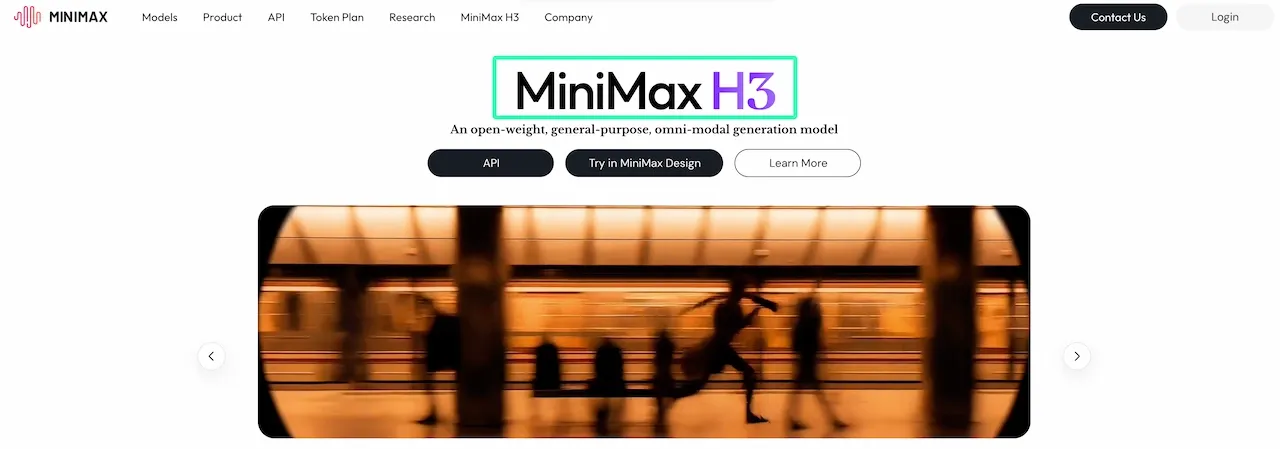
H3 treats text, images, video and audio as a connected brief. A prompt can identify the product image, motion clip and audio reference, then generate picture and native stereo sound together.
The official specification supports up to nine images, three reference videos and three audio clips, subject to a 12-file mixed-input maximum. It also supports text-to-video, first- or last-frame control, paired keyframes and reference-to-video workflows. These are provider specifications, not independent quality findings.
H3 Base produces 768p. The official 2K workflow regenerates that result with the original context, adding another production and billing step.
How We Tested MiniMax H3

This article links to Loova AI’s hosted H3 route. The review did not submit fresh generations or receive MiniMax review credits; it audited public MiniMax and Loova AI samples. Source references were compared with output frames, six frames were sampled across a 15-second brand video, and downloaded media metadata was checked.
That method can assess visible reference use, temporal stability and delivered media format. It cannot establish first-pass success rate, moderation behavior, queue time or the average number of retries.
Test Setup and Evaluation Criteria
For a reproducible trial, open the current MiniMax H3 model page and use one fixed asset pack for three runs. Score reference fidelity, product stability, motion, audio and editing usability. Save the prompt, settings, date and credit preview.
Only upload product files, faces, voices and footage you are authorized to use. Consent and source licensing matter more when a reference is intended to survive into the output.
MiniMax H3 Quality Tests
Product-Reference Video Test
The published brand sample uses four source images to establish binocular-shaped eyewear, a cream-black-red palette and “MINIMAX” signage. Across six sampled points in its 15-second output, those elements recur through the planned locations. That supports reference-pack interpretation.
It does not prove that H3 will preserve a real package on demand. The inputs resemble storyboard frames, and one showcase reveals nothing about rejected takes. Test an asymmetrical product, small label and fixed color swatch across three runs; reject changes to silhouette, label placement or color.
Motion-Transfer Test
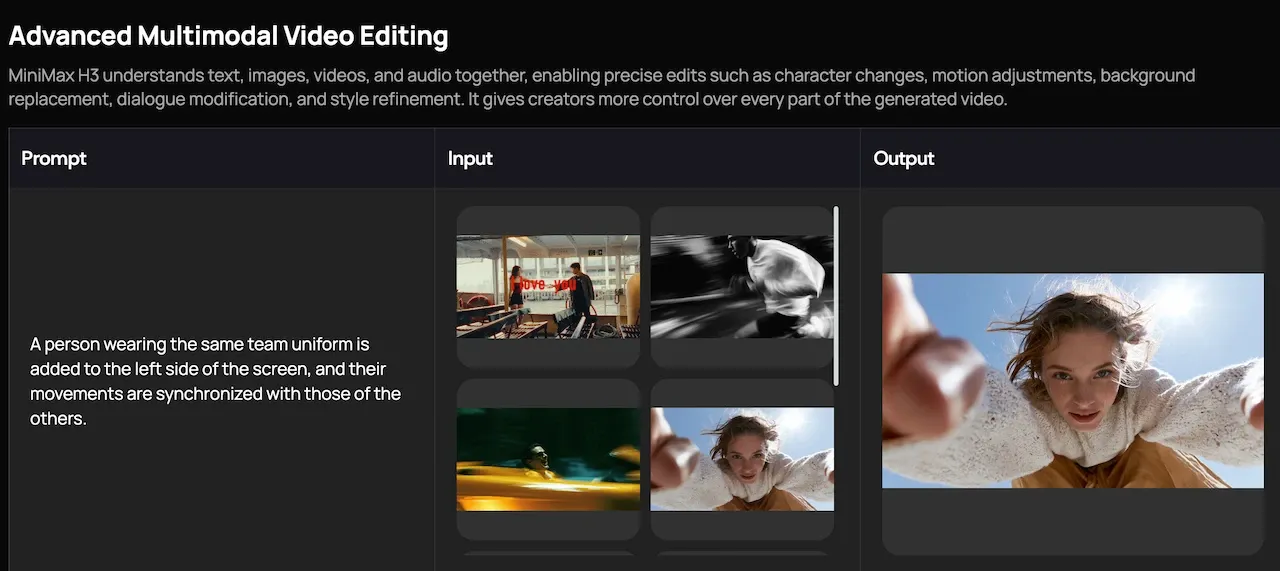
MiniMax’s published examples show reference video being used to guide action or camera behavior. However, when a sample also contains several character and style references, the contribution of motion transfer cannot be isolated.
Use one licensed four-to-six-second source clip, one character and a static background. Score pose timing, limb path, framing, identity and background stability. Side-by-side playback or an overlay exposes timing drift.
Dialogue and Stereo-Audio Test
The public sample files inspected for this review contained two-channel AAC audio. That confirms those demos were delivered with stereo tracks; it does not prove meaningful left-right staging, clean dialogue or reliable lip sync.
A useful test places two speakers on opposite sides of a locked frame, each with different dialogue and a directional sound cue. Review transcript, speaker assignment, mouth timing, channel placement and ambience separately.
MiniMax H3 Strengths and Weaknesses
Strengths
- Mixed references can describe subject, setting, motion and sound inside one brief.
- The 4–15-second duration range is more flexible than a single fixed clip length.
- Native stereo audio creates a plausible starting point for dialogue and ambience.
- Released Base checkpoints give technical teams a local 768p route.
Weaknesses
- Public showcase quality does not reveal average retry count.
- Dense reference packs make a failure harder to diagnose.
- Accurate small text, package geometry and multi-shot continuity still require project-specific tests.
- Local Base deployment does not include the hosted Context-IR or full 2K regeneration modules.
Production Cost and Retry Considerations
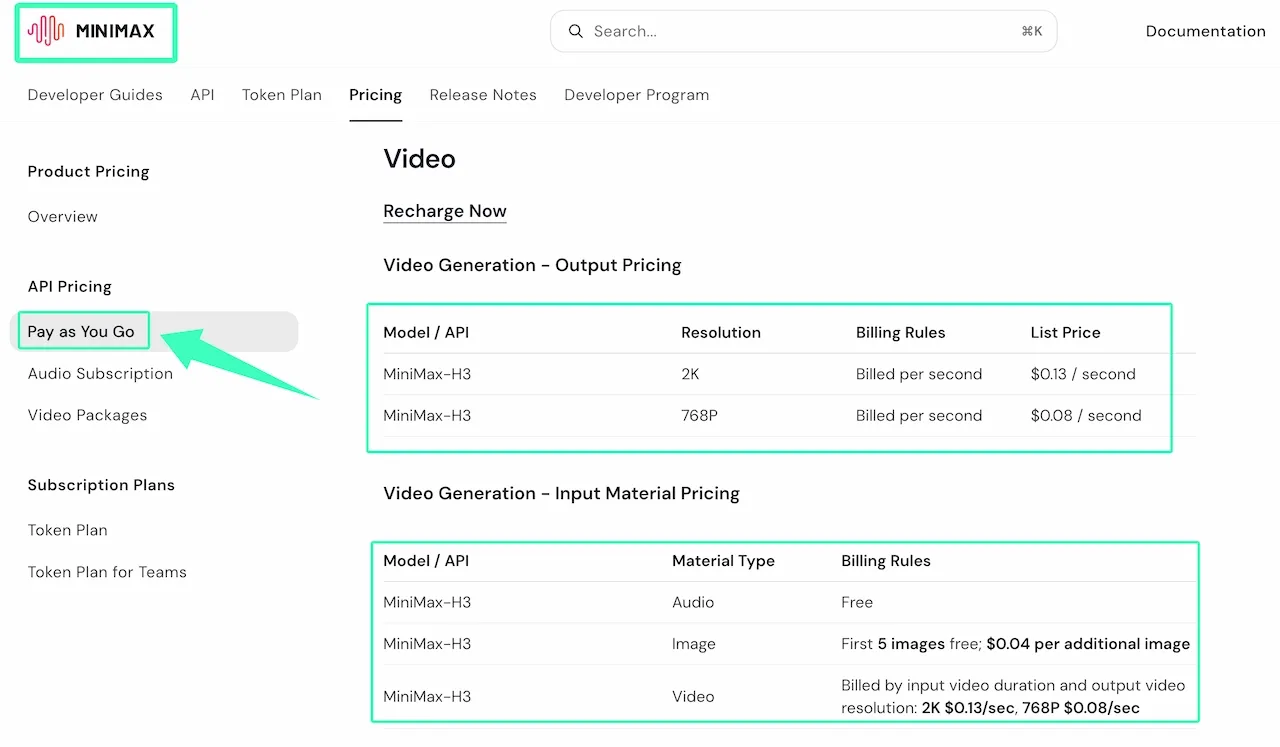
As of August 13, 2026, MiniMax’s direct-API list price is $0.08 per output second at 768p and $0.13 at 2K. The first five reference images are free, additional images cost $0.04 each, and reference video is billed by its duration at the selected resolution rate. These figures come from the official pay-as-you-go pricing page and can change.
A 15-second 2K output therefore starts at $1.95. Three attempts cost $5.85 before chargeable references. Add a six-second 2K reference video and each attempt reaches $2.73, or $8.19 for three. The more useful planning formula is:
Accepted-shot cost = total generation and reference charges ÷ approved shots
Loova AI uses its own credit system, so do not transfer MiniMax API dollar rates to that route. Record the displayed credit preview, failed-run treatment and actual retry count before approving a batch budget.
Who Should Use MiniMax H3?
H3 is a strong pilot candidate for product concepts, stylized brand videos, motion-led scenes or dialogue clips. It also suits developers who can support local deployment.
Wait if every label must be exact, throughput must be predictable or confidential references cannot enter a hosted service. Those jobs need a private test set and verified data route.
Final Verdict
The strongest part of this MiniMax H3 performance review is the workflow design: one context can connect references, motion and stereo audio, while durations up to 15 seconds leave room for a complete beat rather than a micro-shot.
The limitation is evidence. The published MiniMax H3 video examples show that the model can produce coherent, ambitious results, but they do not disclose how many attempts were required. MiniMax H3 is worth a three-run pilot with your own hardest asset—not a production-wide commitment based on demos alone.
FAQ
Is MiniMax H3 the Same as Hailuo 3.0 or Hailuo AI?
No. MiniMax H3 is the model name. Hailuo AI is MiniMax’s creator-facing video platform, and the official H3 repository lists it as an online app route. “Hailuo 3.0” is not the model name used in the current H3 documentation. Use the exact model label when comparing prices, settings or results.
Can MiniMax H3 Run Locally, or Is It Only Available Through Platforms Like Loova AI?
It can run locally, but with an important limit. MiniMax has released H3 Base checkpoints for first/last-frame and reference-to-video generation, with support paths for SGLang, vLLM, Diffusers and ComfyUI. Its example SGLang deployment uses four GPUs. The hosted Context-IR and 2K regeneration modules are not included, so local 768p Base output is not identical to the full hosted workflow.
Where Are Generated MiniMax H3 Videos Stored, and for How Long?
Loova AI does not currently publish a fixed storage period for generated MiniMax H3 videos. Download each approved output as soon as it is ready, then store the video, source assets, prompt and settings in your own project folder. If a project involves confidential assets and requires a specific retention or deletion schedule, confirm those details with Loova AI support before uploading the files.
How Often Does the Loova AI Version of MiniMax H3 Get Updated?
No public fixed update schedule is stated on the current model page. For production work, save a five-second control project with its date, model label, settings and output. Re-run it when the model label, available controls or credit preview changes; that gives you a regression check instead of assuming every “H3” generation uses an unchanged route.
That leaves one real unknown: not whether H3 can make one convincing clip, but how often your own reference pack can make the next clip equally usable.
Run a Controlled MiniMax H3 Pilot
Open the MiniMax H3 AI video generator with one authorized reference pack and one fixed prompt. Generate three takes, score them against the same five criteria, and calculate accepted-shot cost before scaling the workflow.