AI Headshot Generator
Turn an everyday photo into a polished, professional headshot with AI. Upload one clear image, describe the clothing, background, lighting, and expression you want, and generate an AI professional photo that still feels like you. Create headshots for LinkedIn, resumes, company websites, portfolios, and more.
Image To Image
Text To Image
AI photo editor
Model
Start with an image
Upload Image
Drag and drop or click to browse

Prompt
0 / 3000
What Is AI Headshot Generator?
AI headshot generator turns a personal photo into a polished professional head-and-shoulders portrait, adjusting clothing, background, lighting, composition, and expression while preserving identity. Unlike simple filters, it generates a new portrait from your image and instructions, enabling multiple professional looks without a studio shoot.
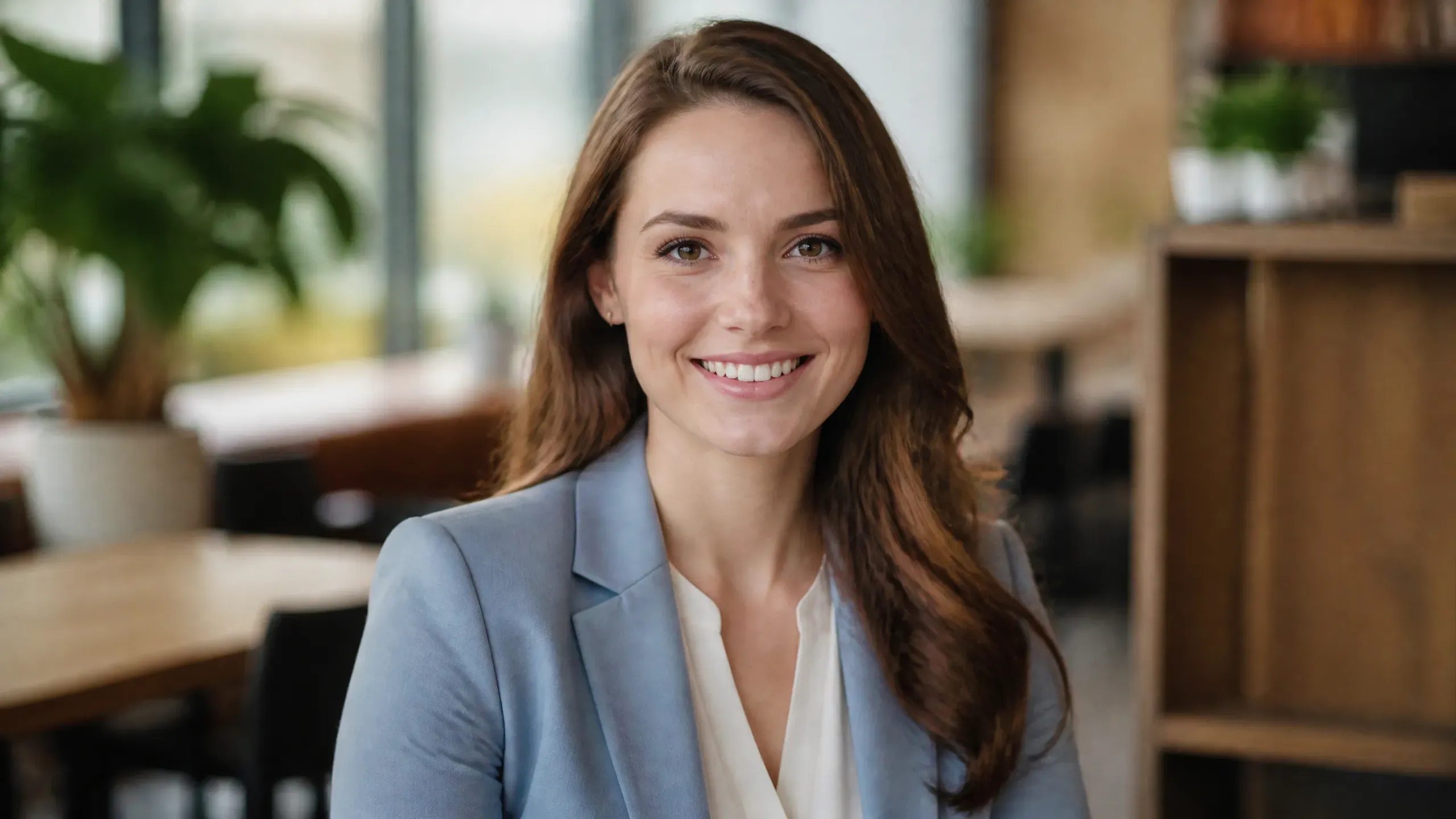
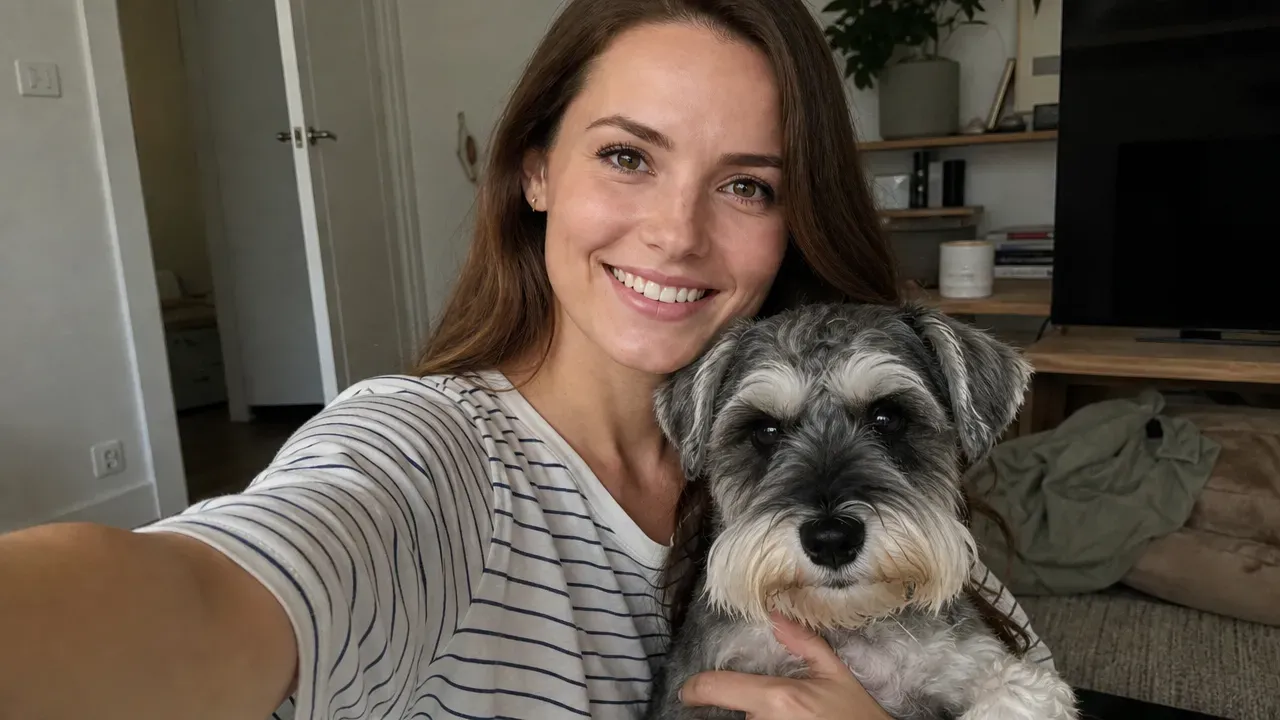
INPUTOUTPUT
Highlight
Why Create Professional Headshots with Loova?
Keep Your Recognizable Appearance
A useful professional headshot should look polished without making you look like a different person. Loova uses your uploaded photo as a visual reference to help maintain recognizable facial features, hairstyle, and overall appearance across the generated results. For the most consistent outcome, upload a sharp, well-lit photo in which your full face is clearly visible.
Control Your Look with a Prompt
You are not limited to preset combinations of suits and backgrounds. Describe your ideal clothing, profession, setting, expression, lighting, color palette, and composition in natural language. You can request a formal executive portrait, an approachable LinkedIn photo, a creative studio look, or an industry-specific business headshot.
Generate Headshots for Any Profession
Different careers call for different visual styles. A lawyer may need a formal studio portrait, while a designer may prefer a more expressive image with softer clothing and a creative background. Loova’s AI business headshot generator can adapt the same reference photo for corporate, academic, healthcare, technology, creative, freelance, and personal-branding contexts.
Turn One Headshot into More Content
Your generated portrait does not have to remain a single profile image. Create alternative backgrounds, outfits, crops, and visual styles for different platforms using Loova’s image generation tools. You can also bring your portrait into Loova Talking Photo to create a speaking introduction, personal pitch, training video, or social media message from a still image.
Steps
How to Generate a Professional Headshot with AI
1
Upload a Clear Photo
Choose a recent, well-lit photo that clearly shows your face from the front or a slight angle. Avoid blurry images, strong filters, sunglasses, extreme poses, or anything that hides important facial features, as these can make the generated headshot less consistent.
2
Describe Your Professional Look
Describe the clothing, background, lighting, expression, composition, and overall impression you want. Be specific about the intended profession or platform so the AI can create a headshot that feels appropriate for your role, audience, and personal brand.
3
Generate, Refine, and Download
Generate several headshots and compare their facial details, expressions, clothing, and overall realism. Refine one element at a time, such as the background or smile, then download your preferred result or create additional versions for other professional uses.
Use Cases
Professional Headshots for Every Use
LinkedIn Profiles
Create a clear and approachable LinkedIn headshot that fits your profession and personal brand. Use a centered crop, uncluttered background, and natural expression so the image remains effective at a small profile size.
Resumes and CVs
Generate a simple, polished headshot for resumes in regions and industries where profile photos are commonly used. Choose neutral clothing and a clean background that will not distract from the rest of the document.
Company Websites
Produce professional portraits for employee bios, leadership pages, and team directories. A shared prompt can help maintain similar lighting, backgrounds, framing, and visual tone across multiple team members.
Portfolios and Personal Websites
Match your headshot to the design of your portfolio or personal website. Creative professionals can use distinctive lighting, colors, and settings while keeping the image suitable for client-facing use.
Speaker and Media Profiles
Create a refined portrait for conference programs, podcast guest pages, press releases, publications, and event announcements. Generate both formal and approachable versions for different media contexts.
Email and Social Profiles
Adapt the same professional identity for email signatures, business messaging accounts, creator profiles, and social media. Generate different crops or backgrounds while maintaining a recognizable look across channels.
Tips
Tips for More Realistic AI Headshots
Start with a High-Quality Reference
Use a clear photo with visible facial details and even lighting. A good input image gives the AI more reliable information about your facial structure, hair, skin tone, and other defining characteristics.
Describe Specific Visual Details
Instead of requesting only “a professional photo,” specify the outfit, background, lighting, expression, camera framing, and intended use. Clear instructions make the output easier to control.
Keep the Style Professionally Relevant
Select a style that matches the platform and audience. Formal lighting and neutral backgrounds work well for corporate pages, while softer settings may be more suitable for creative portfolios and social profiles.
Avoid Conflicting Instructions
Do not combine too many unrelated styles in one prompt. Requests such as “formal corporate portrait,” “dramatic cinematic lighting,” and “casual outdoor lifestyle photo” can pull the image in different directions.
Explore More Tools on Loova
Pricing
Find What Suits You best
Monthly
Annual
SAVE 52%
What is AI headshot?
Is there a free AI professional photo generator?
Can I create a professional headshot with AI for free?
What should I look for in the best free AI headshot generator?
Can I create a headshot from one photo?
Can I change my clothing or background?
How can I make an AI headshot look more realistic?
Can teams create matching professional headshots?
Are my uploaded photos private?
Can I use AI generated headshots commercially?

AI Video
AI Effect
Loova's Studio
AI Video Models
By using this site, you agree to our Terms of Use and Privacy Policy.
© 2026 Loova. All rights reserved